You can increase the PHP memory limit in cPanel to help your website run better. This is useful when installing WordPress themes, importing demo content, or running bigger tasks. Increasing memory can also make some database queries faster.
To do this, first log in to your cPanel account. Then, go to “Select PHP Version” and follow the steps to increase the memory limit.
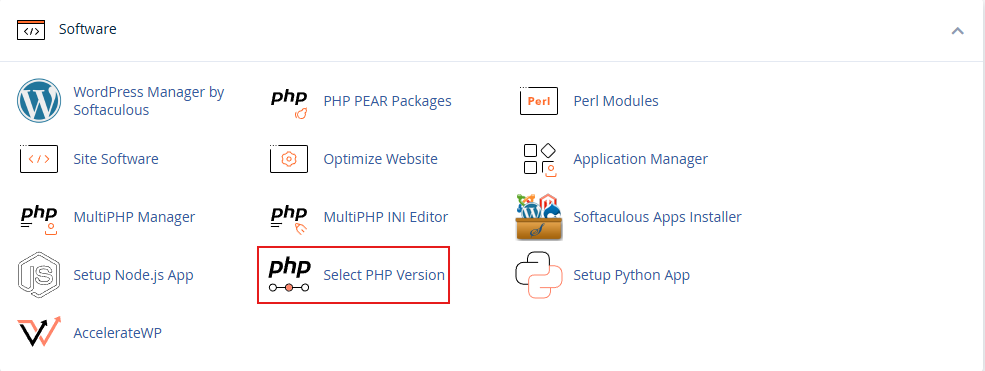
1. Click on “Select PHP Version.”
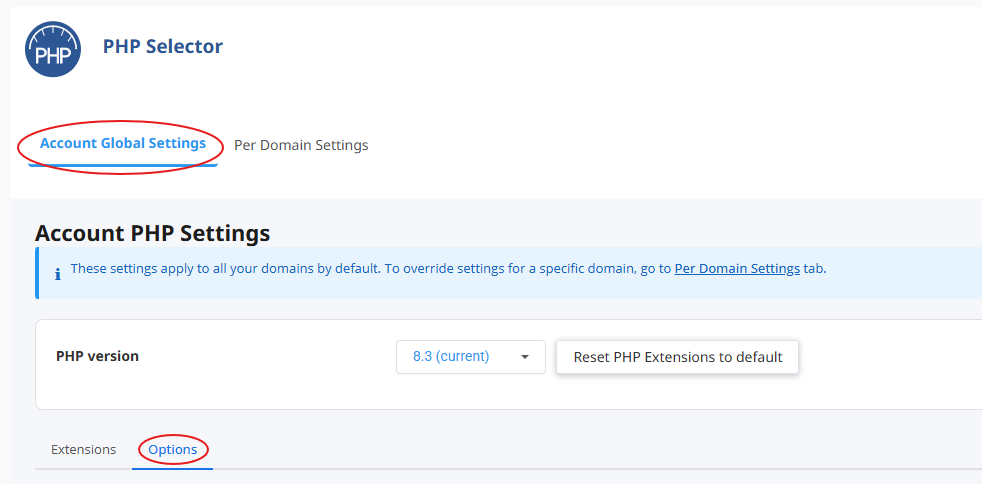
2. You will see two tabs: Account Global Settings and Per Domain Settings.
3. Click on the Account Global Settings tab.
4. You will now see Extensions and Options tabs.
5. Click on the Options tab.
6. Now you can increase PHP values as you wish.
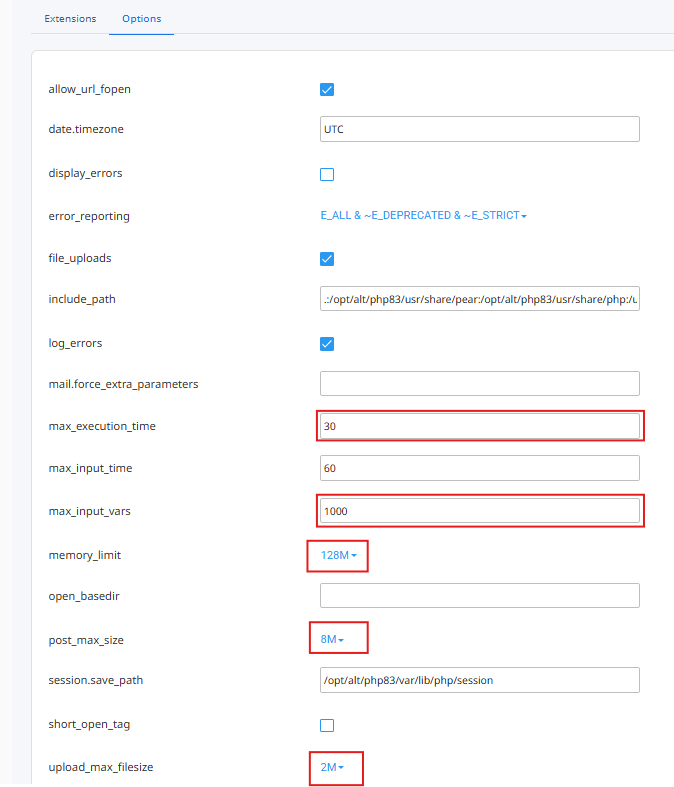
Now you will be able to get the benefits of PHP memory limits.